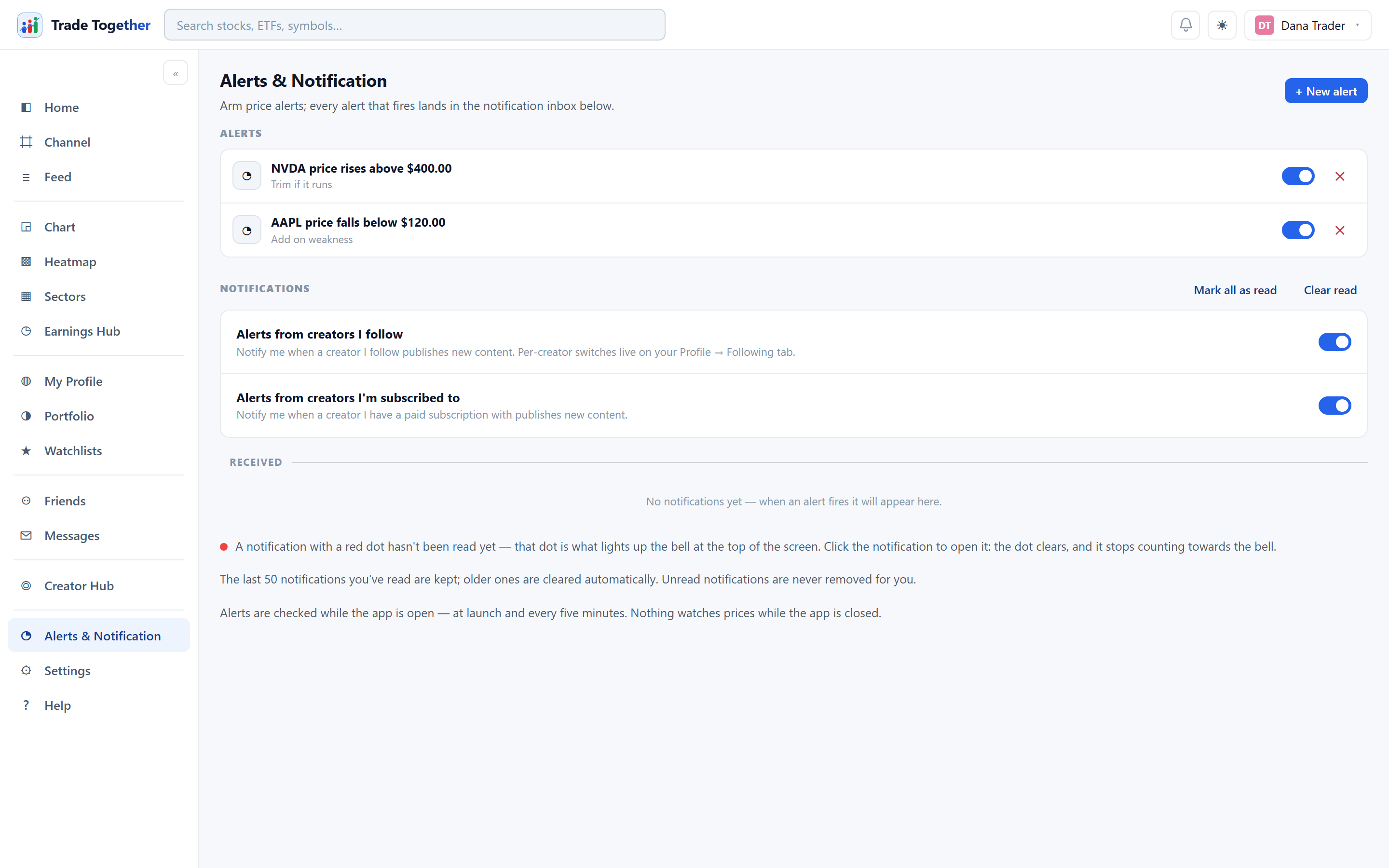
One page, two halves. Alerts at the top are the rules you arm. Notifications below are the results — everything that has already happened.
Alerts by email and WhatsApp
Delivery outside the app is being rechecked, so the panel for setting it up is hidden for the moment. An address you have already saved is untouched and still used. When the checks are done the panel returns — in Settings rather than on this page — and this section will describe it again.
Insider buys
The Insider buys switch at the top of this page tells you when a company's director, officer or 10% owner buys its shares on the open market, for every stock you hold or watch, including ones you add later. You can limit it to purchases of $100K or $1M and more. The alerts come from the insiders' own Form 4 filings with the SEC, which are checked twice a day; a filing is due within two business days of the trade. Awards, option exercises, shares withheld for tax and sales are not purchases, so they never alert. Each purchase is reported once, and switching the alert on does not send you the purchases from before.
Whole-watchlist alerts
A rule can watch a whole watchlist instead of one stock. You make it from the list itself, with Alert on this list; here it is listed as List · name · rule, with the same switch and ✕ as a price alert. Unlike a price alert it does not switch itself off after firing: it keeps watching, one alert per stock per trading day.
Technical alerts
New alert has a Technical mode with three kinds of rule, all on daily closing prices:
- RSI (14) crosses below or above a level you choose (30 and 70 are the usual ones).
- Price vs average: the close crosses above or below its 20, 50, 100 or 200-day average.
- Average vs average: one average crosses another, such as the 50-day over the 200-day (often called a golden cross; under it, a death cross).
They are checked once a day after the close. An alert fires on the day the line crosses, not on every day it stays past the level, and then waits for the next crossing; the rule stays on until you switch it off. A crossing describes what the price did. It is not a signal to buy or sell.
20.1 Setting a price alert
+ New alert opens a dialog with four fields: the symbol, the condition, a value, and an optional note to remind you why you set it.
- Price rises above
- Fires when the price goes over your value.
- Price falls below
- Fires when it drops under it.
- Gains more than (%)
- Fires on a percentage move up.
- Drops more than (%)
- Fires on a percentage move down.
A new rule is evaluated the moment you create it, so an alert that is already past its threshold fires straight away instead of waiting.
Each rule in the list has a switch and a ✕. Clicking the rule text opens that symbol's chart. An alert that fires disarms itself — it did its job — and the row then shows when it fired. Flick the switch back on to re-arm it.
Your alerts are stored on your account, not in this browser. They follow you to your phone and to any other machine you sign in on, and an update to the site does not touch them.
Alerts are checked around the clock: our server sweeps prices every ten minutes even when nothing is open, and an open app also checks every five minutes on its own. Whichever notices a crossing first writes the notification and disarms the alert — one crossing, one alert.
20.2 The notification inbox
Fired alerts land here, and so does everything else that wants your attention: friend requests, new followers, posts from creators you follow, and occasional system messages.
A notification with a red dot has not been read yet, and that dot is what lights up the bell in the top bar. Clicking the notification opens it, clears the dot, and stops it counting toward the bell.
- Mark all as read
- Clears every dot at once.
- Clear read
- Deletes the ones you have already read. It never touches unread ones — those are the only ones that still matter.
- ✕ on a row
- Dismisses that one notification.
A friend request in the inbox can be answered where you are reading it: Accept and Decline appear on the row, so you do not have to go and find it again on the Friends page.
Read notifications are kept up to a limit and older ones are cleared automatically. Unread notifications are never removed for you.
20.3 Alerts from creators
Two master switches sit above the inbox:
- Alerts from creators I follow — notify me when someone I follow publishes.
- Alerts from creators I'm subscribed to — the same for paid subscriptions.
These are the master controls. Per-creator switches live on My Profile → Following, so you can follow ten people and be notified about two.